
Design real UI instantly
directly inside Figma
Turn a simple prompt into production-ready screens without starting from a blank canvas.
Open in Figma — FreeNo credit card • Works in your existing files • Real Figma layers
Figma Plugin •Free to Use •Real Figma Layers •No Account Required
From Prompt to Real UI in 3 Steps
No switching tools, no leaving Figma. Describe what you need and get editable, production-ready screens.
Install the Plugin
One click from the Figma Community. Open it inside any Figma file — no signup or account needed.
Describe What You Need
Type a prompt directly inside Figma. Think product requirements, not pixels.
'A mobile banking app with biometric login...'
Get Real Figma Layers
Editable frames, auto-layout, and components appear right on your canvas. Ready to tweak, ship, or hand off.
Real Figma Output, Not Flat Images
Every screen Fluvara generates is built with native Figma layers — auto-layout, components, and proper structure you can actually use.
Native Figma Layers
Everything is editable. Auto-layout, proper naming, grouped components — just like you'd build it yourself.
Production-Ready Screens
Complete screens with real content, proper hierarchy, and consistent design patterns — ready for developer handoff.
Skip the blank canvas. Start with something real.
One Prompt. Real Figma Screens.
Here's what Fluvara generates from a single prompt — real Figma layers you can edit, extend, and ship.
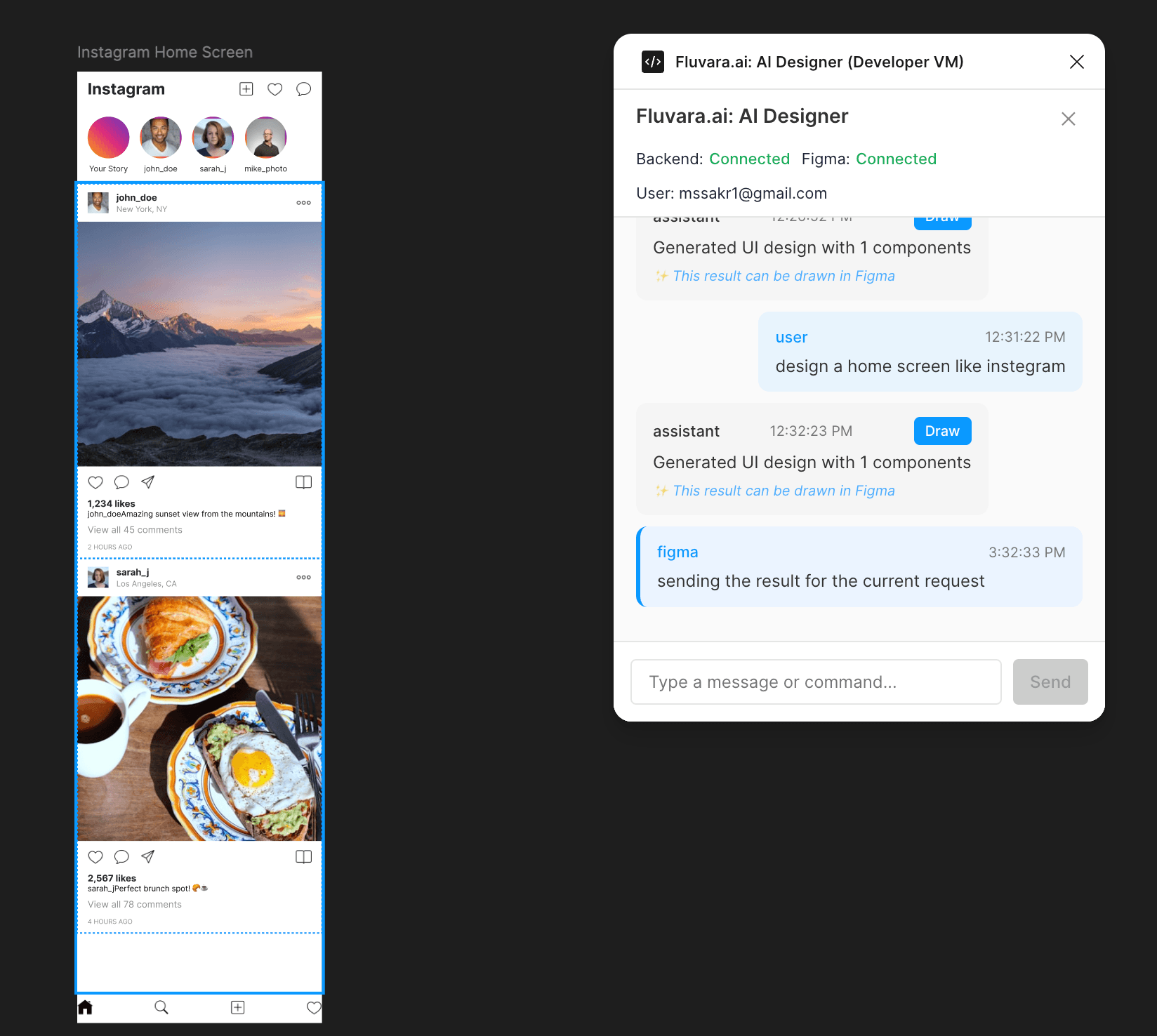
Instagram Home Screen
AI Prompt:
“design a home screen like instegram”
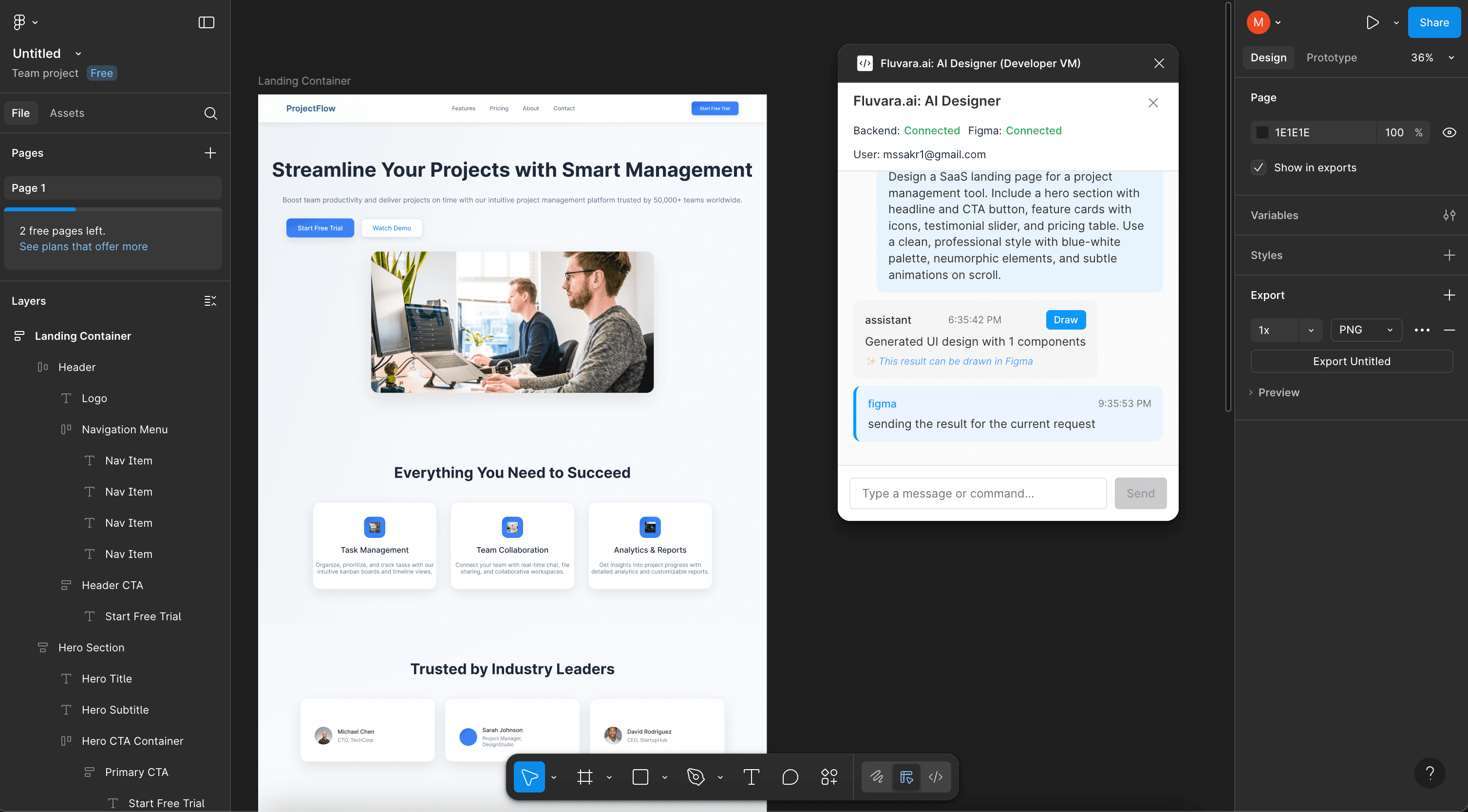
SaaS Home Page
AI Prompt:
“Design a SaaS landing page for a project management tool. Include a hero section with headline and C...”
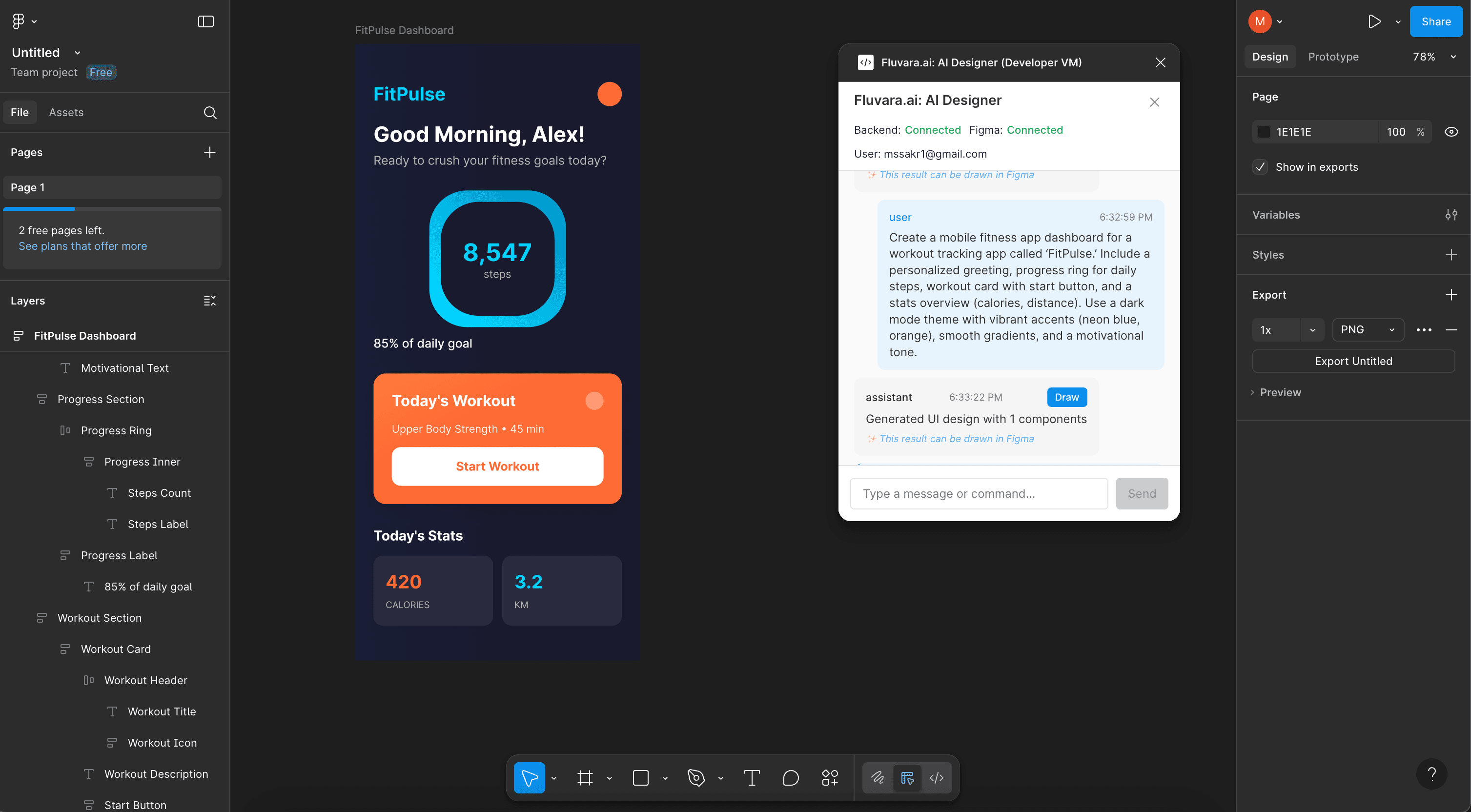
Fitness Application UI
AI Prompt:
“Create a mobile fitness app dashboard for a workout tracking app called 'FitPulse: Include a persona...”
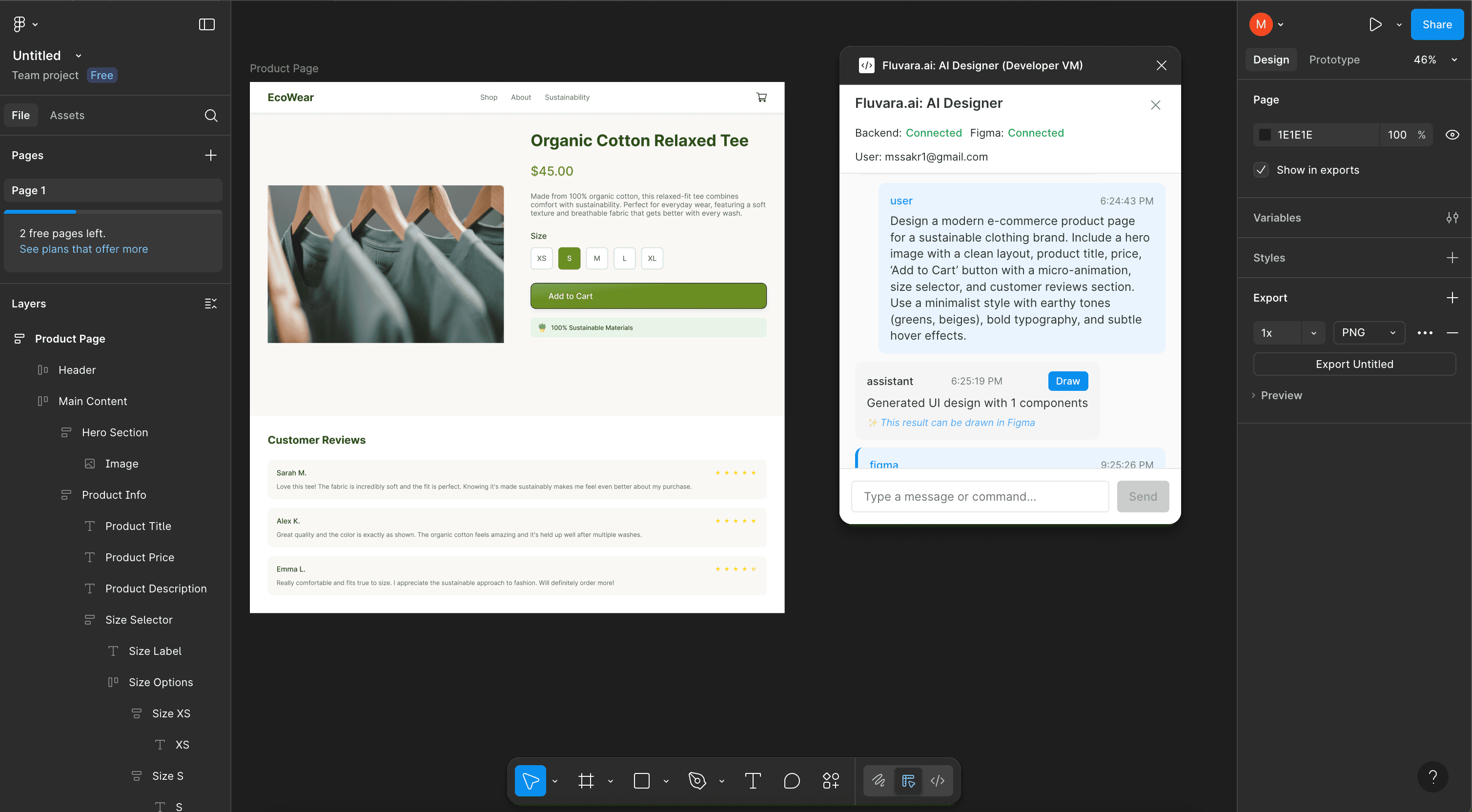
E-commerce Website Design
AI Prompt:
“Design a modern e-commerce product page for a sustainable clothing brand. Include a hero image with ...”
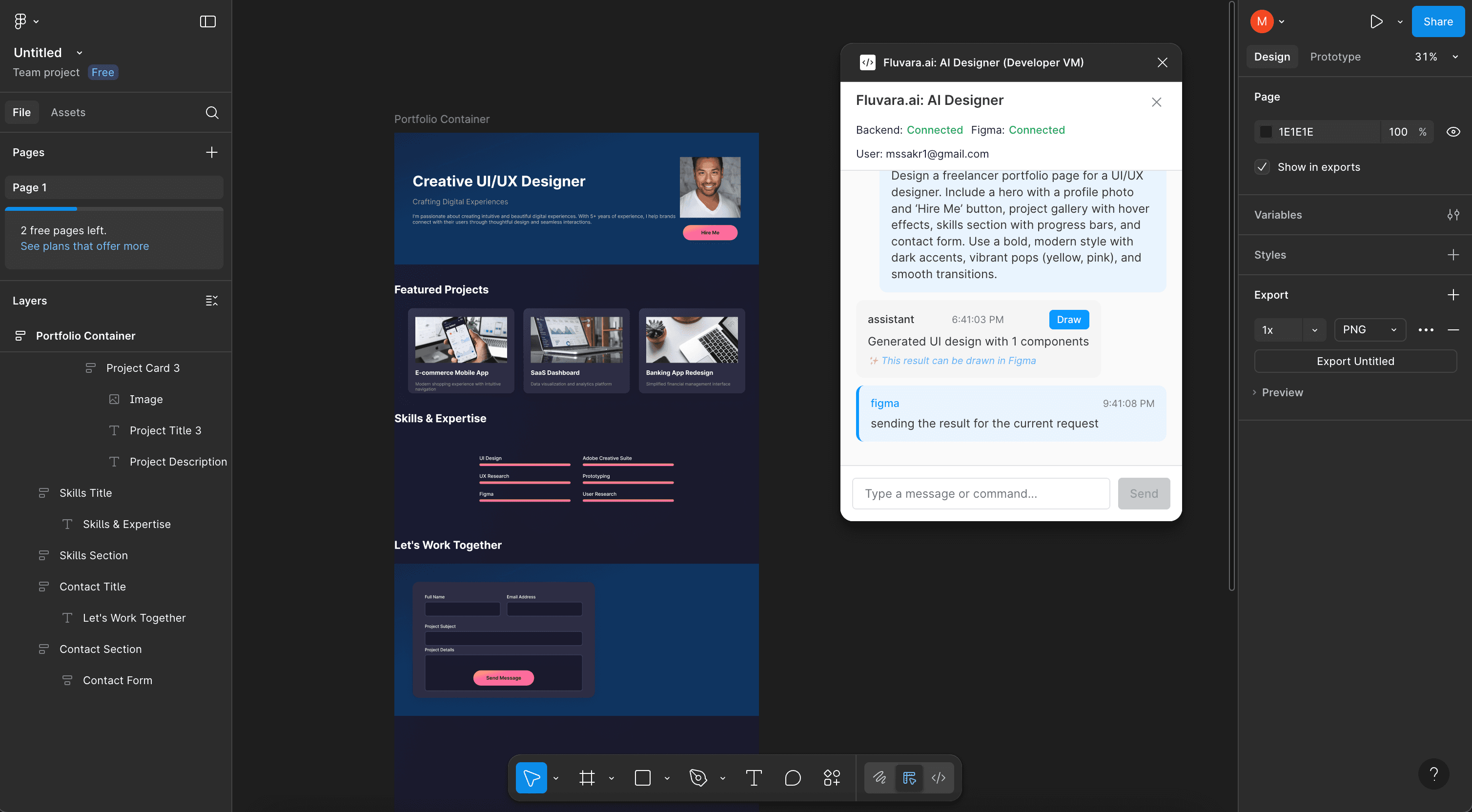
Freelancer Portfolio Website
AI Prompt:
“Design a freelancer portfolio page for a UI/UX designer. Include a hero with a profile photo and 'Hi...”
68 real designs, with the prompts that made them
Not mockups. Every screen below came out of Fluvara in Figma from one text prompt — browse them with the exact wording that produced each one.
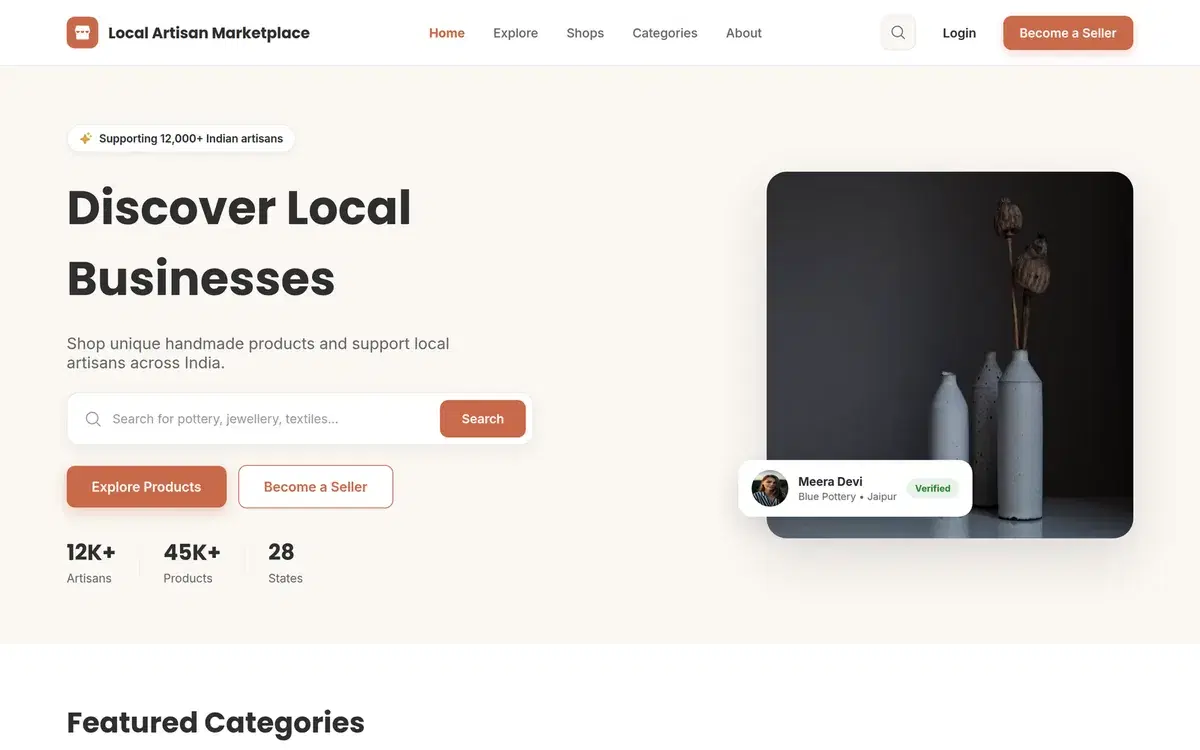
E-Commerce
Local Artisan Product Listing Page
A product browsing page with summary stats, search, category, price and rating filters, sorting, and artisan product cards showing price, location and stock.
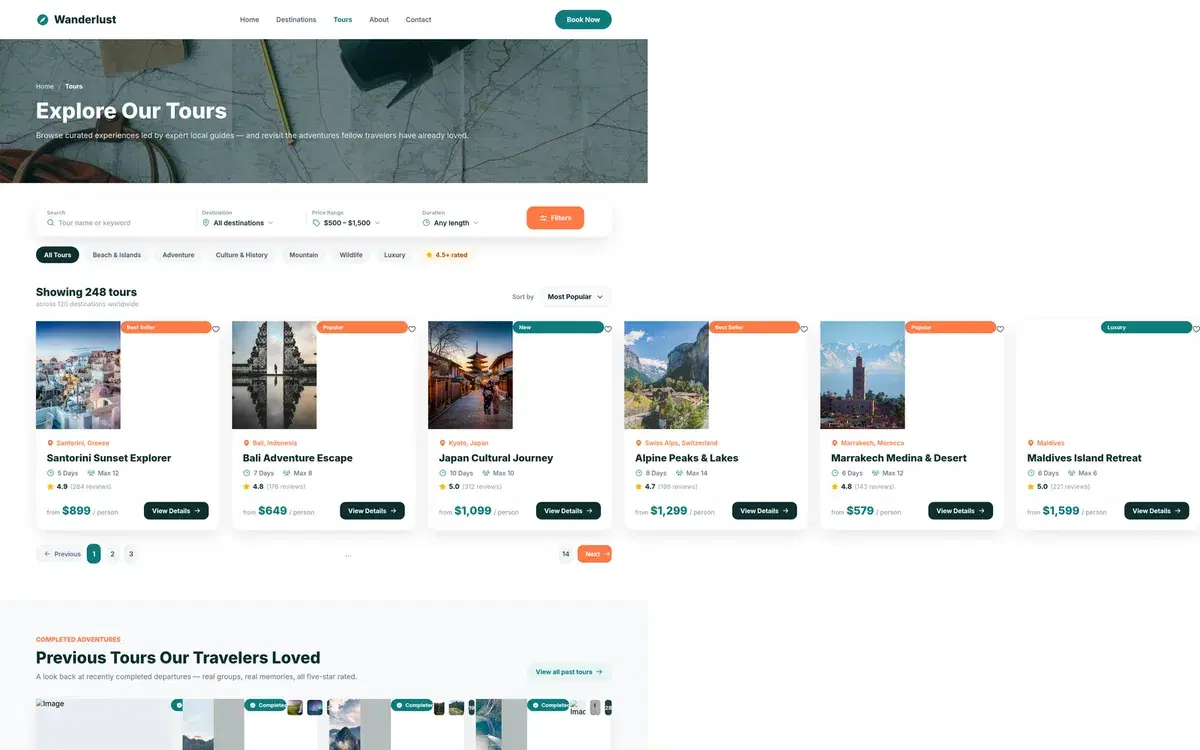
Booking & Travel
Tour Guide Website Home Page
Homepage layout for a travel tour guide website featuring destination highlights, search, featured tours, and booking call-to-action sections.
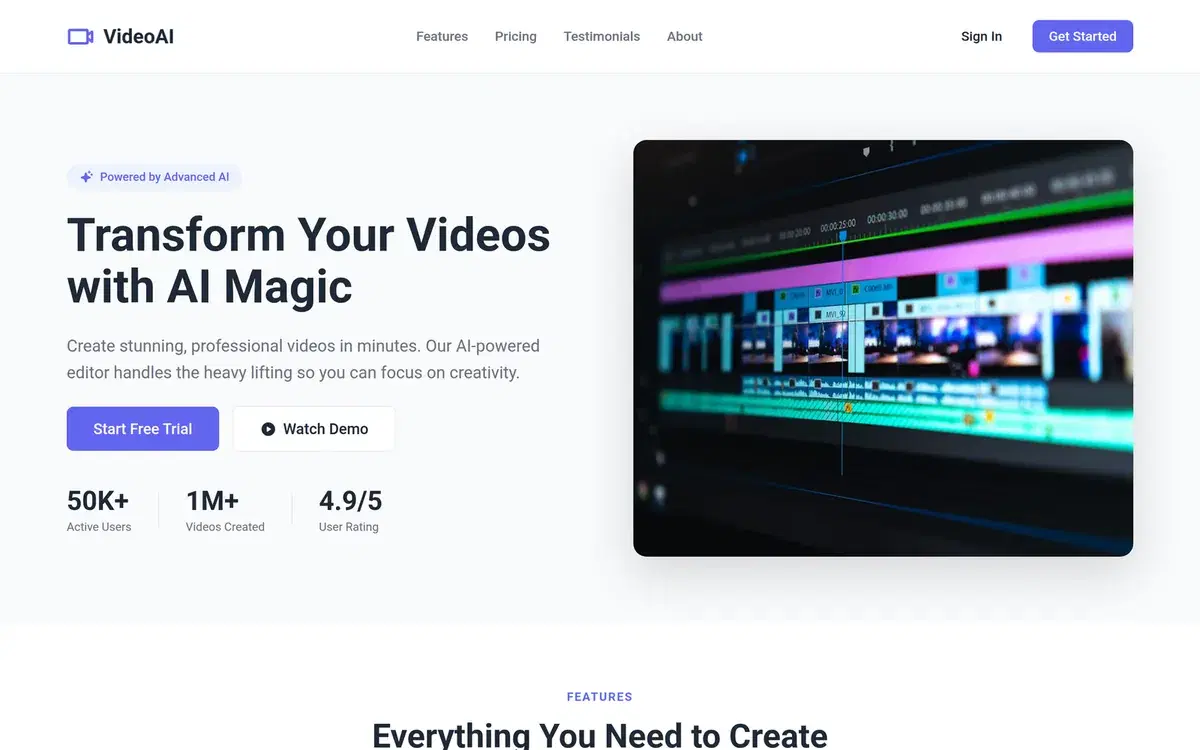
Landing Page
AI Video Editor SaaS Landing Page
Modern desktop landing page for an AI video editing tool with hero section, pricing tiers, customer testimonials and a closing call-to-action.
Portfolio & Agency
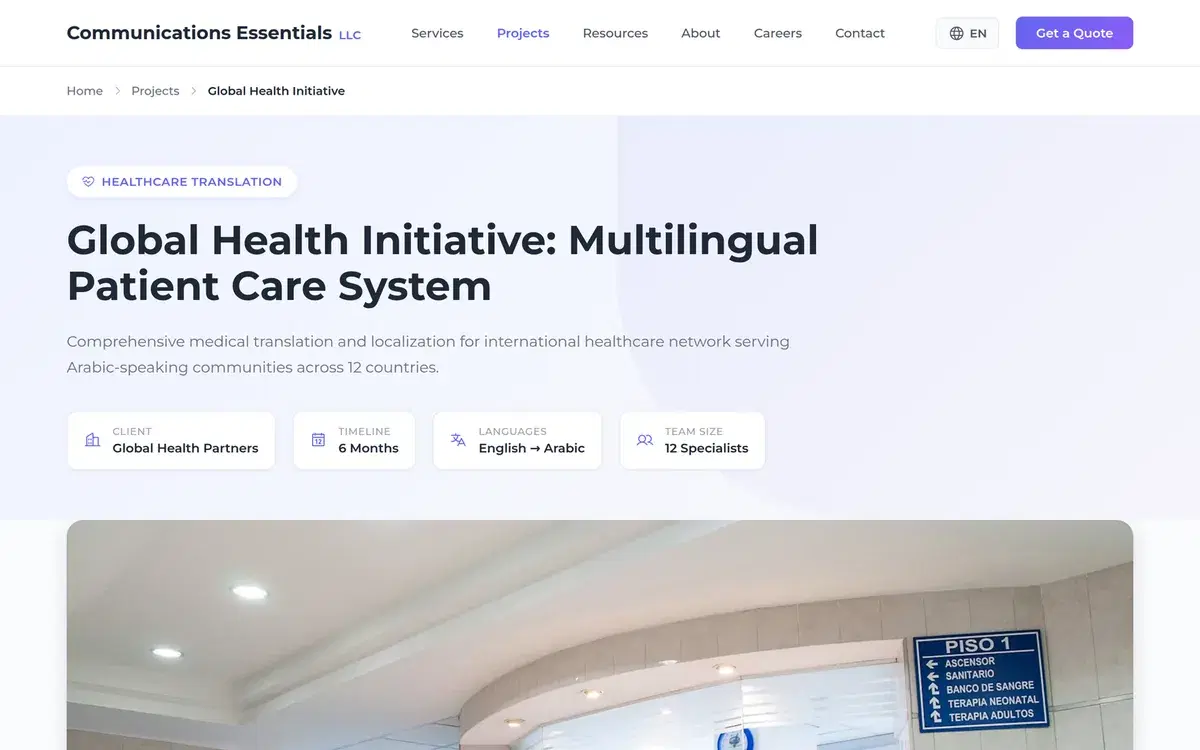
Agency Services and Projects Website Pages
Multi-page agency website layout with services overview, service detail sections, process steps, industries, FAQs, testimonials and a filterable projects portfolio grid.
Admin & CRM
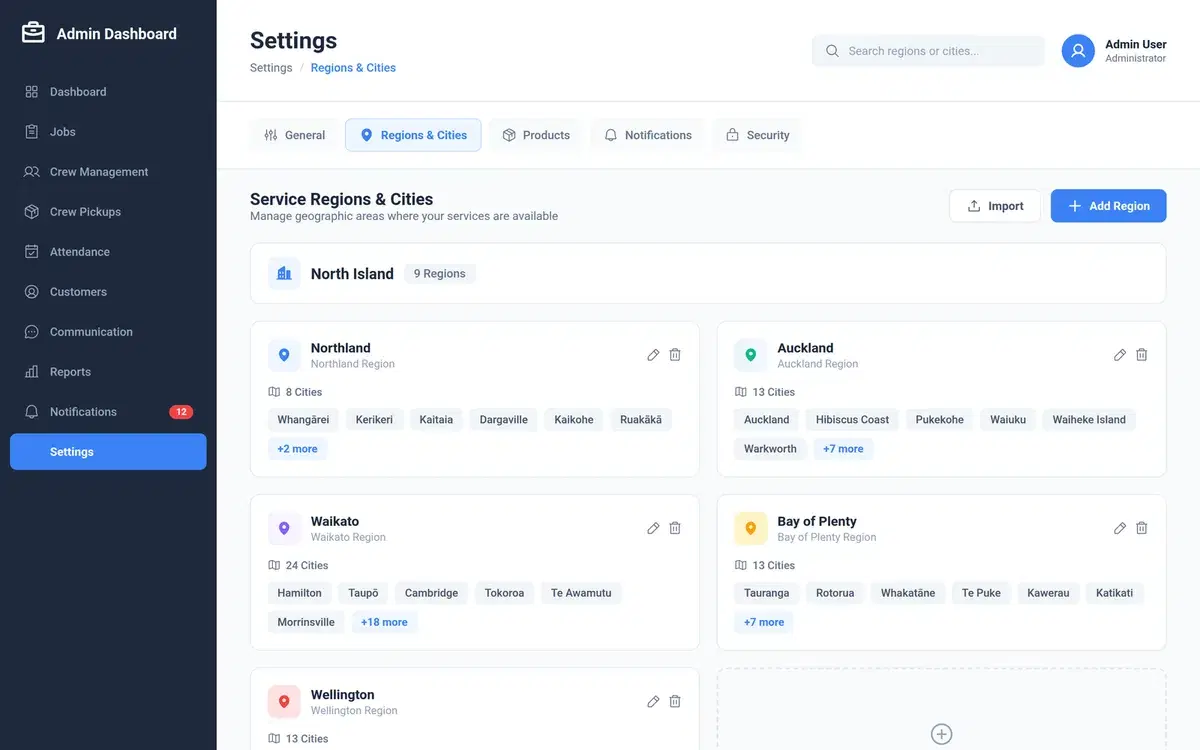
Crew Pickups Inventory Log Admin Dashboard
Admin dashboard tab logging office product pickups by crew members, with manual entry, predefined product selection, and date and time records.
SaaS & Web App
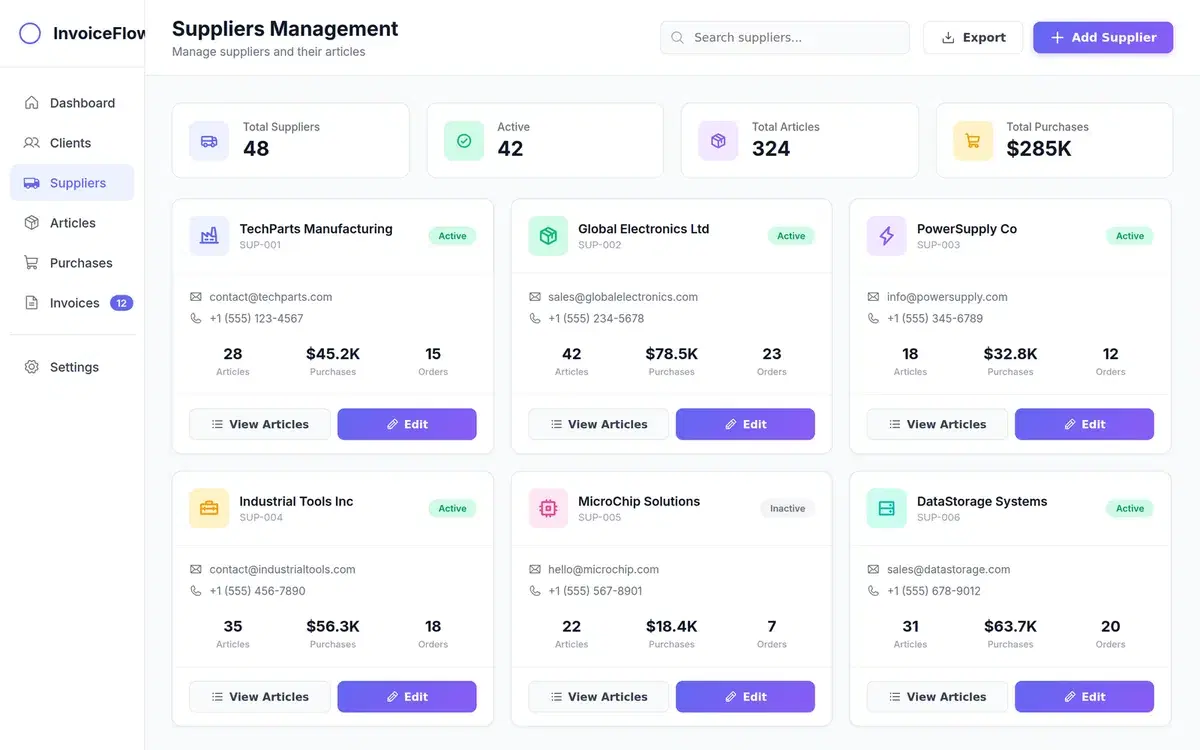
Invoice Management Web App for Clients and Suppliers
Web application design covering login, dashboard, and invoice management screens for tracking billing between clients and suppliers.
Built for Designers Who Use Figma
Whether you're a product designer, UX designer, or design lead — Fluvara works right where you already do.
Product Designers
Go from brief to screens in seconds. Generate complete flows and iterate inside Figma.
UX/UI Designers
Skip the blank canvas. Get structured screens with proper hierarchy and spacing.
Design Teams
Use the same plugin across your team. Consistent output, shared Figma files.
Solo Designers
Move faster without a team. Generate, refine, and hand off — all in Figma.
Simple, Transparent Pricing
Start free, upgrade when you need more
Free Plan
Perfect to get started
- 5 AI prompts per day
- Full Figma plugin access
- Real Figma layers output
- Auto-layout & components
- Email support
Pro Plan
For professional designers
- Unlimited AI prompts
- Full Figma plugin access
- Real Figma layers output
- Auto-layout & components
- Priority support
- Advanced design features
Install the plugin for free. Upgrade to Pro inside the plugin when you're ready.
Frequently Asked Questions
Everything you need to know about the Fluvara Figma plugin
What is Fluvara.ai?
Fluvara.ai is a Figma plugin that turns text prompts into real, editable UI screens — directly on your Figma canvas. It generates native Figma layers with auto-layout, proper naming, and component structure. Think of it as going from intent to real UI in under 60 seconds.
How does the Figma plugin work?
Install the free plugin from the Figma Community. Open it in any Figma file, type a prompt describing what you want to design, and Fluvara generates production-ready screens with real Figma layers. Everything is editable — frames, text, components, spacing — just like you built it yourself.
Do I need to create an account?
No account or credit card is needed to get started. Install the plugin and start generating screens immediately. The free plan gives you 5 AI prompts per day. When you need more, you can upgrade to Pro directly inside the plugin.
What makes Fluvara different from other AI design tools?
Most AI design tools generate flat images or work outside of Figma. Fluvara generates real Figma layers — auto-layout, named components, proper spacing and hierarchy. The output is fully editable and production-ready, not a screenshot you have to rebuild.
Does it work with my existing Figma files?
Yes. Open the plugin inside any Figma file and generate screens right there. The output lands directly on your canvas alongside your existing work. You can then tweak, rearrange, or integrate it into your design system.
Get in Touch
Have questions? We'd love to hear from you.
Contact Information
Support
Technical support and general inquiries
Response Time
We typically respond within 24 hours
Stop Starting from Scratch
Turn intent into real UI inside Figma in under 60 seconds. Install the free plugin and start designing.
Open in Figma — FreeFree to use • No credit card required • Works in your existing Figma files